Moonlighter 2 controller1.0 · 2026-09-03
Moonlighter 2 Controller Support
Moonlighter 2 controller support is a Steam store category, not a rumor. Valve lists full controller support and a gamepad recommended because isometric combat and backpack throws are analog jobs. Shop tumblers are still happy with a mouse. Consoles — Xbox Series, PS5, Switch 2 — are pads by default. This page is for PC players who do not own a gamepad, PC players whose pad fell off after Tomo, and anyone mixing Steam Input with the in-game rebind menu.
DennyXV’s 19 November 2025 report: town inputs died after a dungeon on mouse and keyboard, then a hard lock on rebind. Arysto lost mouse routing overnight. A Steam Deck user lost gamepad after Tomo bought an artefact and had to relaunch. Developer Arne from 11 bit asked for repro steps. If 1.0 still fights you, finish Herald on a pad and use a cursor at the till. Do not live in rebind mid-run.
What Moonlighter 2 controller support actually covers
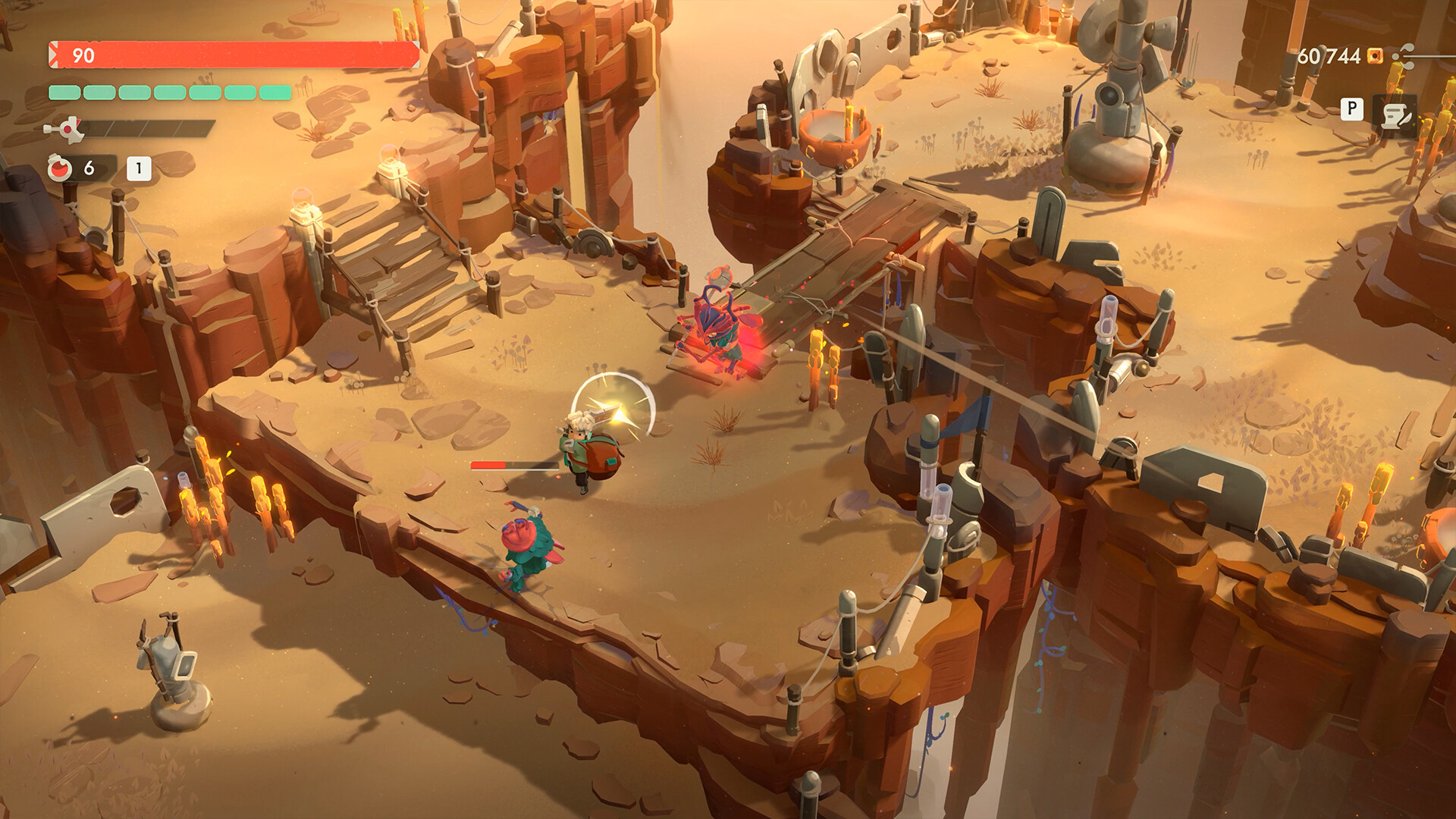
Herald’s ruptured purple projectile is a backpack-return throw. Analog aim helps. Jump versus roll is a face-button habit. Bomb Path explosions, HEX chains, and packed Gallery rooms are stick jobs. NWR’s Switch review said he had a very tough time putting the controller down once money and quests clicked. PixelNitro’s Switch 2 combat dips (mid-20s with bombs) are a frame budget, not a missing bind.
Xbox pads, DualSense, DualShock, and generic HID devices usually work through Steam Input. This page will not invent a 1.0 glyph table or adaptive-trigger recipes Digital Sun never published. PS5 DualSense is a controller, not extra dungeons. If the PlayStation store later lists a DualSense feature, believe the store. Until then, it is a pad with Herald throws.
What if you do not own a gamepad. You can still sell. You can still walk Tresna. Kalina is survivable on WASD if routing works. The first boss is the wall. A used Xbox pad is cheaper than a failed Herald hour. Demo on Steam exists to test that. Demo on PS5 exists to test DualSense. Switch 2 is a pad in both handheld and dock.
Cloud gaming on Game Pass lists the title as cloud-playable on Premium/Ultimate. Input lag on a shop tumbler is a personal tax. Herald throws want a pad in the room if you can. Essential’s stream caveat is a license issue. Handheld Optimised on the Xbox page is a Microsoft badge for Ally-class devices, not a Switch cart.
Pad versus keyboard, and device-switch bugs
If the game swaps to keyboard after an NPC (Tomo is the named Deck example), relaunch. Do not fight the glyph overlay while a unique inspects a relic. Do not delete Cloud to “fix” binds. Family Sharing still plays single-player. There is no co-op so a second pad will not spawn a second Will.
Installing Moonlighter 1 loaders will not add “better pad support.” Mods page exists for what not to install. Workshop is not a store category that matters here. Points Shop items are Steam cosmetics, not glyphs.
1.0 did not change the recommendation. Vault VII, Infinite, Hardcore, shop 5, Bomb Path, Endless aspects all expect the same throw. Hardcore dumps the run bag; a rebind freeze in Hardcore is how you donate Epics to a bug. Practice on a normal file. Infinite Vault per-run gold still needs Herald-competent hands.
Play Anywhere shares Xbox and Microsoft PC progress, not Steam Input profiles. Two PC ecosystems. Physical November boxes (PS5, Switch 2, PC) do not include a unique pad. Collector merch is a coin, not a controller.
Mistakes: forcing in-game rebinds until freeze. Assuming no pad means you cannot play at all (you can shop). Assuming a pad means you cannot use a mouse at the till (you can and should). Waiting for co-op. Buying Deluxe for rumble. Inventing a 750000 gold pad unlock.
Canonical URLs live on https://moonlighter2wiki.wiki. Open mouse-and-keyboard for the cursor half, steam for app facts, xbox / ps5 / switch for console SKUs.
Accessibility: Xbox store lists six accessibility features on the Microsoft product page. This wiki will not invent their names beyond that count. Steam’s page does not replace them. If a bind is the accessibility issue, Steam Input layers exist. If the in-game menu is the freeze, avoid it.
HowLongToBeat’s fastest logs are PC players who already had hands. Keyboard-only deaths inflate averages. A pad is a time-save.
News hub still ships patches to Steam first. If a September 2026 hotfix mentions input, believe that note over a November 2025 thread. Until then, the practical rule is pad in the dungeon, mouse at the till, relaunch if glyphs flip after Tomo.
Do not remap every key as superstition. Do not skip Cloud. Do not treat Metacritic 76 as a bind. Play the loop.
CGMagazine’s PS5 readability complaint is a camera issue, not a missing DualSense recipe. Stand center in Herald so tells have contrast. NWR still finished a compelling loop on a 30 fps Switch pad.
Steam achievements (56) do not include “own a pad,” but broom mastery and Herald tasks assume you can throw. Trophy hunters on PS5 still need that throw. Xbox achievements share the loop. Switch 2 has no Game Pass and no Play Anywhere; it has a pad in the hinge.
Physical carts land 13 November 2026 for PS5, Switch 2, and PC through Silver Lining. They do not include a second controller. Standard UK quotes were £34.99 PS5 and £44.99 Switch 2. Those numbers are boxes, not rumble upgrades.
Greed and Glory added HEX. Blob-Life added Poison. 1.0 added Bomb Path. All three are easier on analog. Shop rank 5 is easier on a cursor. Own both if you can. If you can own only one, own the pad and suffer the tumbler, not the reverse, unless you only wanted Animal Crossing with relics.
Do not skip mystery nodes because pad combat feels good. Sliver still hides in a question mark. Do not enter Hardcore because the pad finally felt right. Practice on a normal file.
If a September hotfix lands after this 3 September 2026 page, Steam news wins over DennyXV. Until then, relaunch after Tomo if glyphs flip, and keep a mouse on the desk for the till.
The canyon does not care that your tumbler is elegant. Herald still throws a ruptured object you have to return. If the pad dies after Tomo, you cannot practice that throw. Relaunch, skip the freeze menu, and keep analog on the stick until the shield bar is gone. Then sit down and type Perfect like a merchant.
A used pad plus a mouse is the whole PC accessory list this sequel needs. Everything else is merch, patio DLC, or a cart that arrives in November.
Buy the pad first.
Use Moonlighter 2 controller support as pad-in-the-canyon, cursor-at-the-till until device-switch bugs are a relaunch, not a refund, and until “I do not own a gamepad” is a shopping trip, not a wall.